[4] Ustaw stały adres IP
3 marca 2021Command Line Interface
[1] Uruchom PowerShell’a z prawami Administratora i wykonaj:
Windows PowerShell
Copyright (C) Microsoft Corporation. All rights reserved.

PS C:\Users\Administrator> Get-NetIPInterface -AddressFamily IPv4

ifIndex InterfaceAlias AddressFamily NlMtu(Bytes) InterfaceMetric Dhcp ConnectionState PolicyStore
------- -------------- ------------- ------------ --------------- ---- --------------- -----------
6 Ethernet0 IPv4 1500 25 Enabled Connected ActiveStore
1 Loopback Pseudo-Interface 1 IPv4 4294967295 75 Disabled Connected ActiveStore

PS C:\Users\Administrator> Set-NetIPInterface -InterfaceIndex 6 -Dhcp Disabled
PS C:\Users\Administrator> New-NetIPAddress -InterfaceIndex 6 -AddressFamily IPv4 -IPAddress "192.168.100.111" -PrefixLength 24 -DefaultGateway "192.168.100.254"

IPAddress : 192.168.100.111
InterfaceIndex : 6
InterfaceAlias : Ethernet0
AddressFamily : IPv4
Type : Unicast
PrefixLength : 24
PrefixOrigin : Manual
SuffixOrigin : Manual
AddressState : Tentative
ValidLifetime : Infinite ([TimeSpan]::MaxValue)
PreferredLifetime : Infinite ([TimeSpan]::MaxValue)
SkipAsSource : False
PolicyStore : ActiveStore

IPAddress : 192.168.100.111
InterfaceIndex : 6
InterfaceAlias : Ethernet0
AddressFamily : IPv4
Type : Unicast
PrefixLength : 24
PrefixOrigin : Manual
SuffixOrigin : Manual
AddressState : Invalid
ValidLifetime : Infinite ([TimeSpan]::MaxValue)
PreferredLifetime : Infinite ([TimeSpan]::MaxValue)
SkipAsSource : False
PolicyStore : PersistentStore

PS C:\Users\Administrator> Set-DnsClientServerAddress -InterfaceIndex 6 -ServerAddresses "192.168.100.100" -PassThru

InterfaceAlias Interface Address ServerAddresses
Index Family
-------------- --------- ------- ---------------
Ethernet0 6 IPv6 {}
Ethernet0 6 IPv4 {192.168.100.100}

PS C:\Users\Administrator> ipconfig /all

Windows IP Configuration

Host Name . . . . . . . . . . . . : vwsr01
Primary Dns Suffix . . . . . . . : zicher.lab
Node Type . . . . . . . . . . . . : Hybrid
IP Routing Enabled. . . . . . . . : No
WINS Proxy Enabled. . . . . . . . : No
DNS Suffix Search List. . . . . . : zicher.lab

Ethernet adapter Ethernet0:

Connection-specific DNS Suffix . :
Description . . . . . . . . . . . : Intel(R) 82574L Gigabit Network Connection
Physical Address. . . . . . . . . : 00-0C-29-07-35-E3
DHCP Enabled. . . . . . . . . . . : No
Autoconfiguration Enabled . . . . : Yes
Link-local IPv6 Address . . . . . : fe80::743b:2c19:90fe:364c%6(Preferred)
IPv4 Address. . . . . . . . . . . : 192.168.100.111(Preferred)
Subnet Mask . . . . . . . . . . . : 255.255.255.0
Default Gateway . . . . . . . . . : 192.168.100.254
DNS Servers . . . . . . . . . . . : 192.168.100.100
NetBIOS over Tcpip. . . . . . . . : Enabled
Graphic User Interface
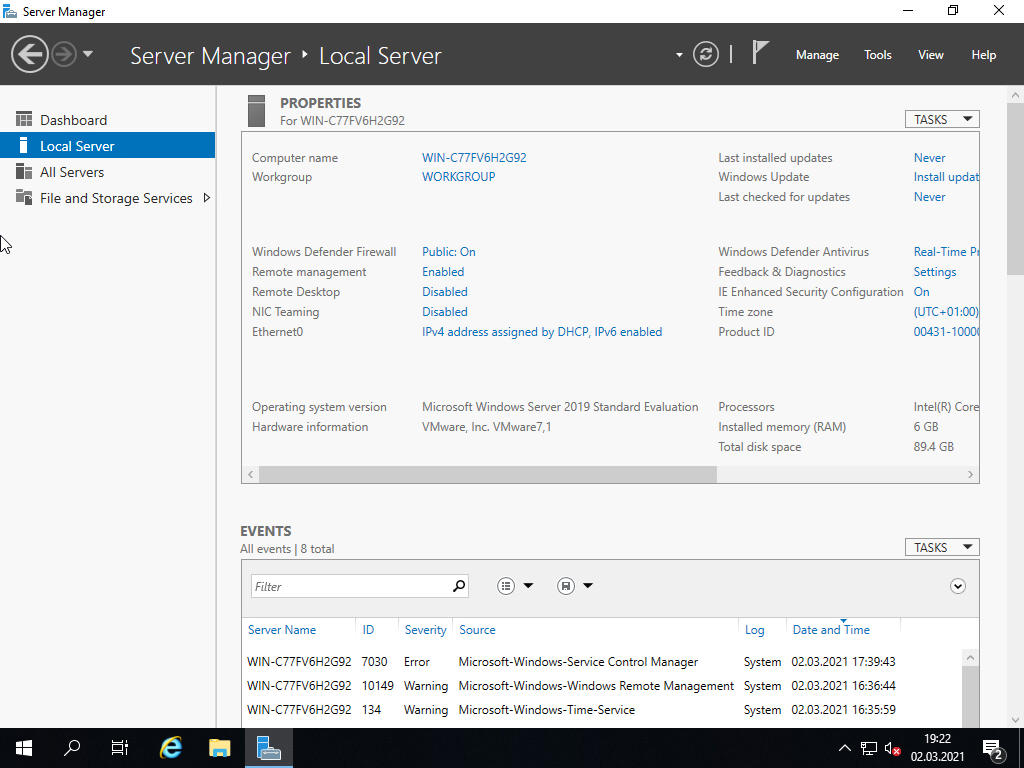
[1] Uruchom [Server Manager] i wybierz [Local Server] w lewym panelu, kliknij [Ethernet] w prawym panelu.
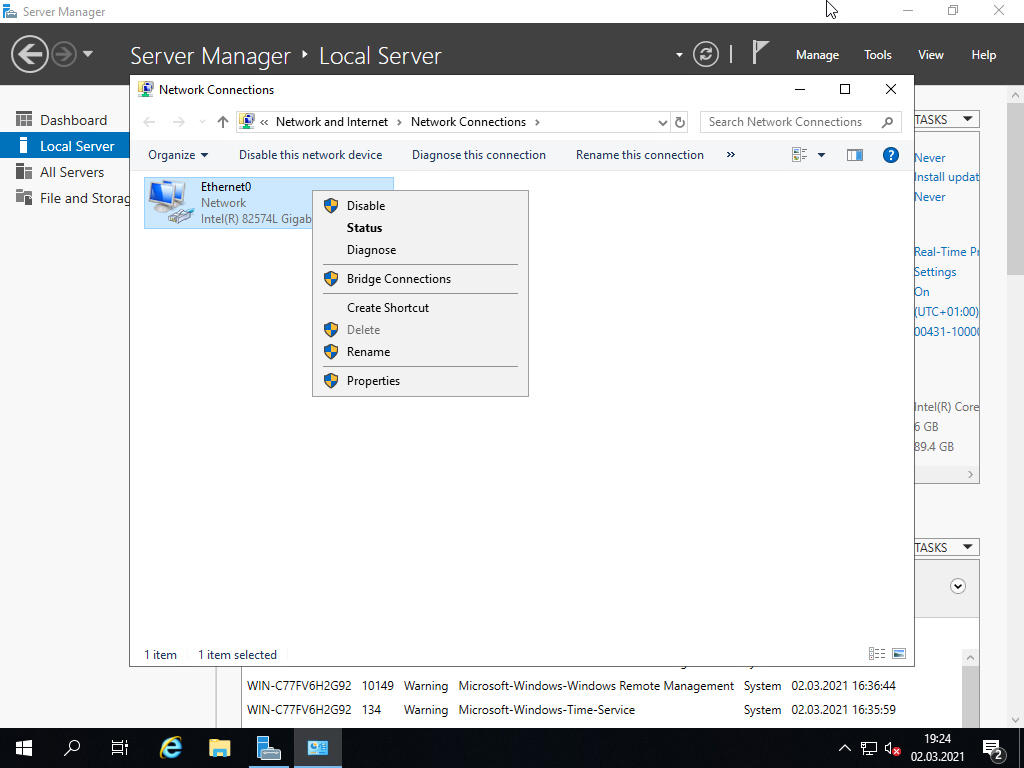
[2] Kliknij PKM ikonę [Ethernet] i wybierz [Properties].
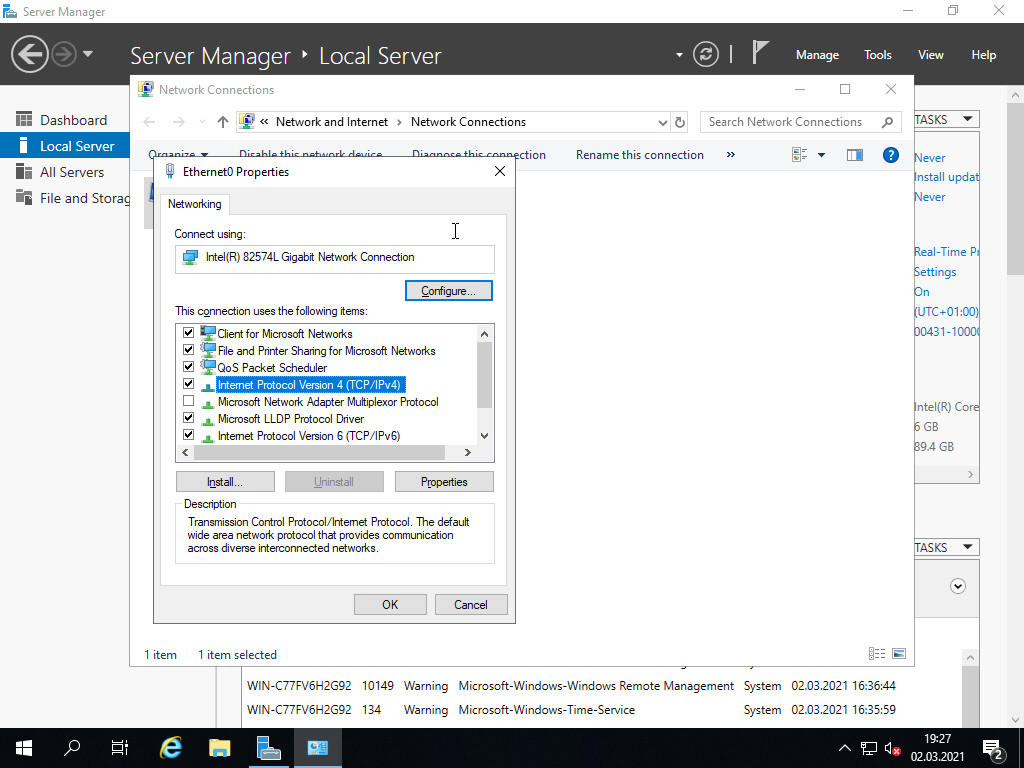
[3] Wybierz [Internet Protocol Version 4] i kliknij przycisk [Properties].
[4] Ustaw statyczny adres IP, Gateway, serwery DNS i kliknij [OK], następnie [Close].
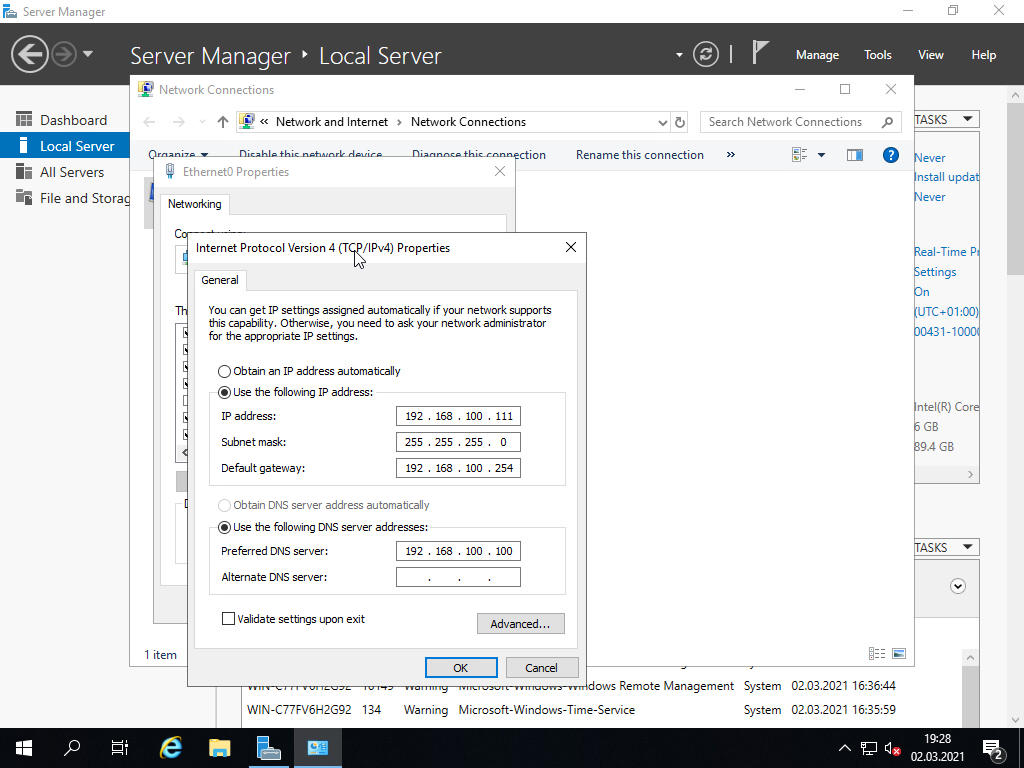
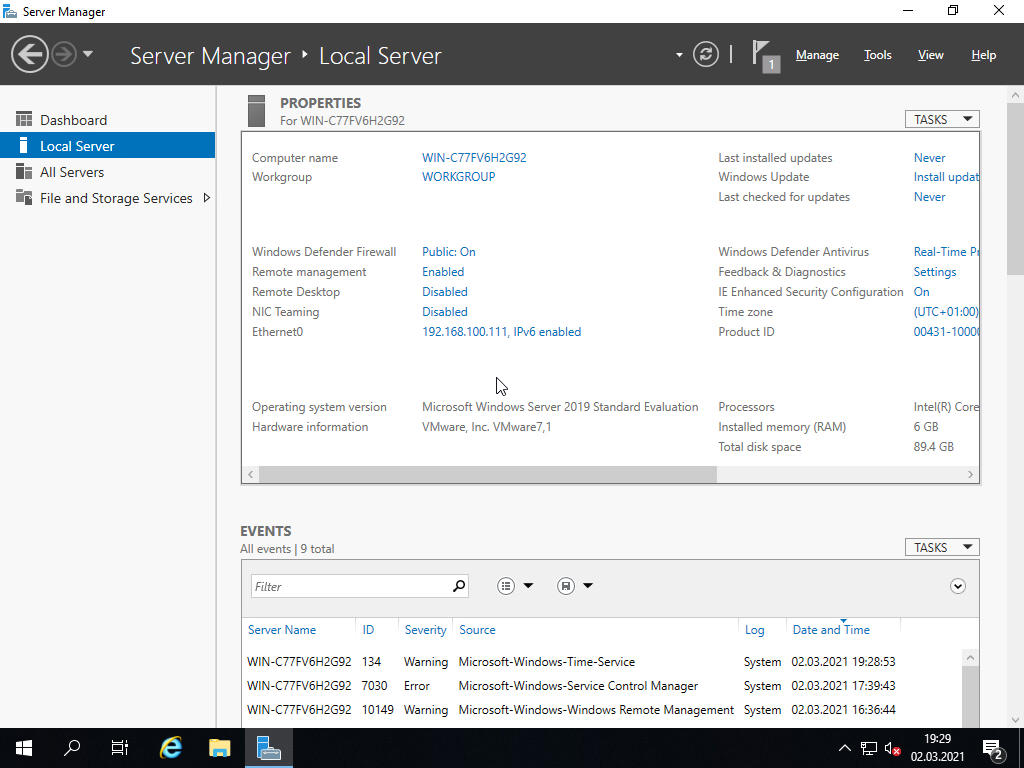
[5] Po tych czynnościach Ethernet w [Server Manager] zostanie zmieniony na ustawiony przez nas adres IP.