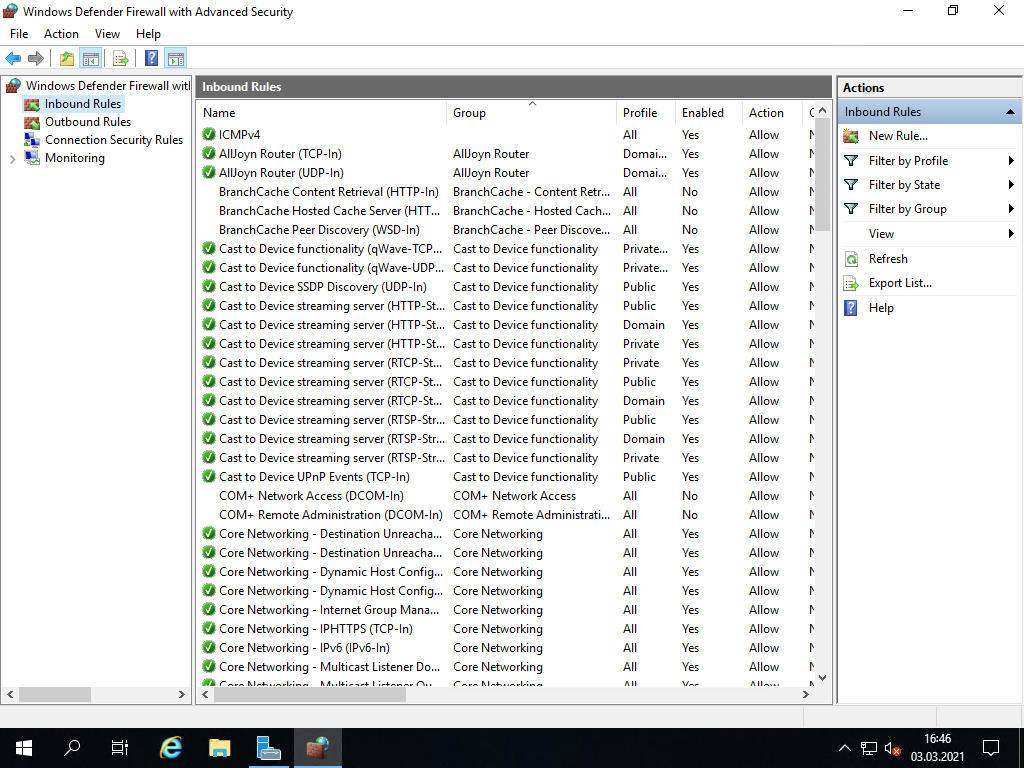
[6] Zezwolenie na ICMP Echo (ping)
3 marca 2021Command Line Interface
Domyślne ustawienie Zapory systemu Windows blokuje protokół ICMP, więc serwer nigdy nie odpowie innym hostom za pomocą polecenia ping-pong. Jeśli chcesz zezwolić na ICMP, ustaw to w następujący sposób.
[1] Uruchom PowerShell’a z prawami Administratora i wykonaj:
Windows PowerShell
Copyright (C) Microsoft Corporation. All rights reserved.

PS C:\Users\Administrator> New-NetFirewallRule `
-Name 'ICMPv4' `
-DisplayName 'ICMPv4' `
-Description 'Allow ICMPv4' `
-Profile Any `
-Direction Inbound `
-Action Allow `
-Protocol ICMPv4 `
-Program Any `
-LocalAddress Any `
-RemoteAddress Any

PS C:\Users\Administrator> Get-NetFirewallRule | Where-Object Name -Like 'ICMPv4'

Name : ICMPv4
DisplayName : ICMPv4
Description : Allow ICMPv4
DisplayGroup :
Group :
Enabled : True
Profile : Any
Platform : {}
Direction : Inbound
Action : Allow
EdgeTraversalPolicy : Block
LooseSourceMapping : False
LocalOnlyMapping : False
Owner :
PrimaryStatus : OK
Status : The rule was parsed successfully from the store. (65536)
EnforcementStatus : NotApplicable
PolicyStoreSource : PersistentStore
PolicyStoreSourceType : Local
Graphic User Interface
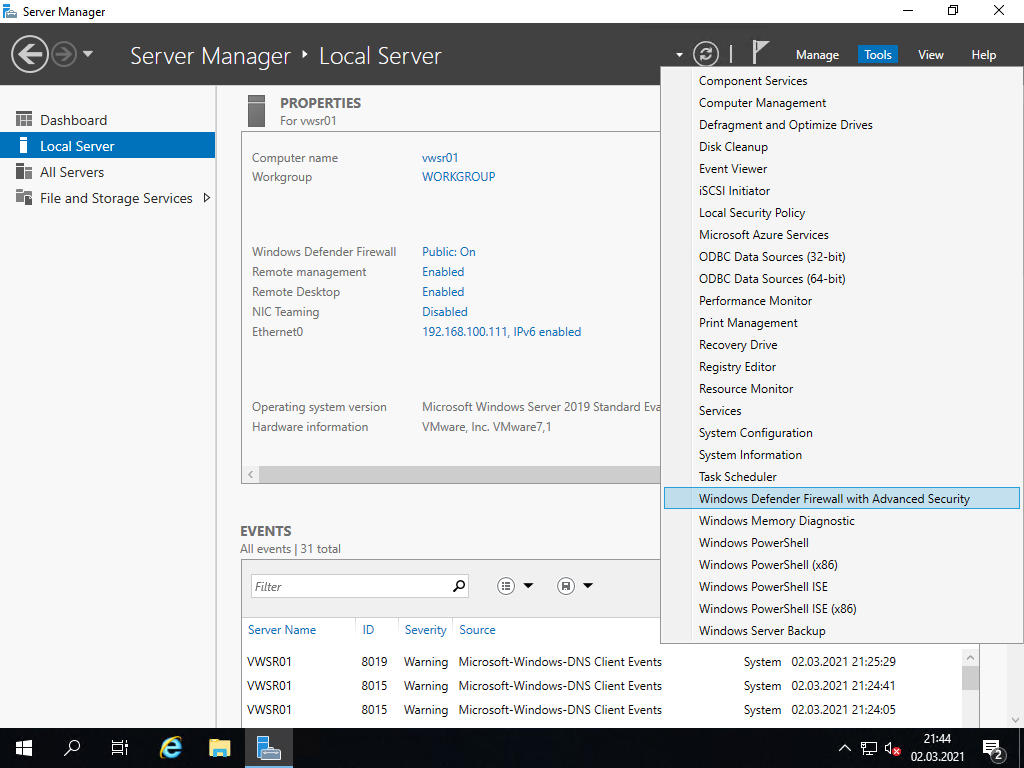
[1] Uruchom [Server Manager] i otwórz [Tools] – [Windows Defender Firewall with Advanced Security].
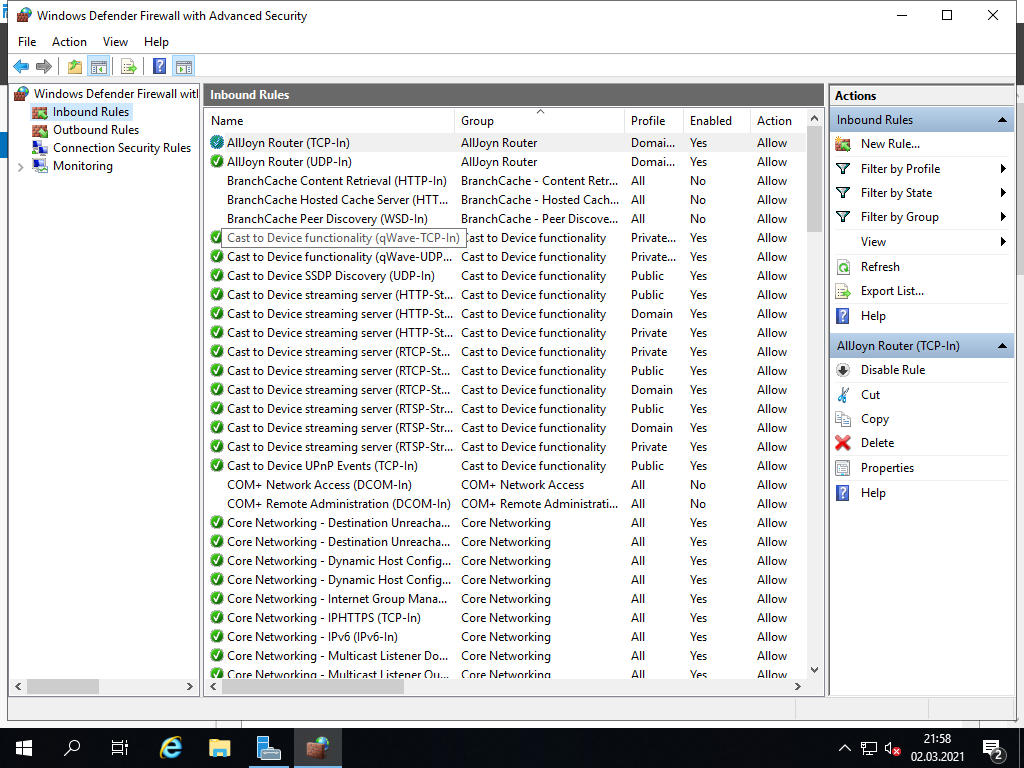
[2] Wybierz [Inbound Rules] w lewym panelu i kliknij [New Rule] w prawym panelu.
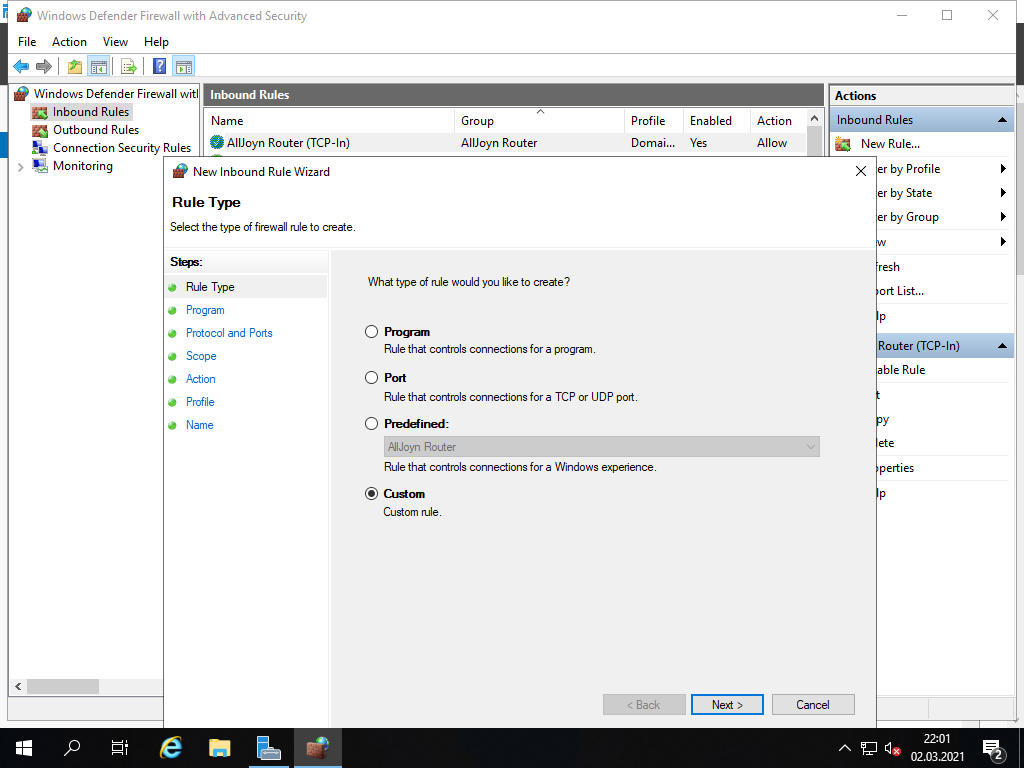
[3] Wybierz [Custom] i kliknij [Next].
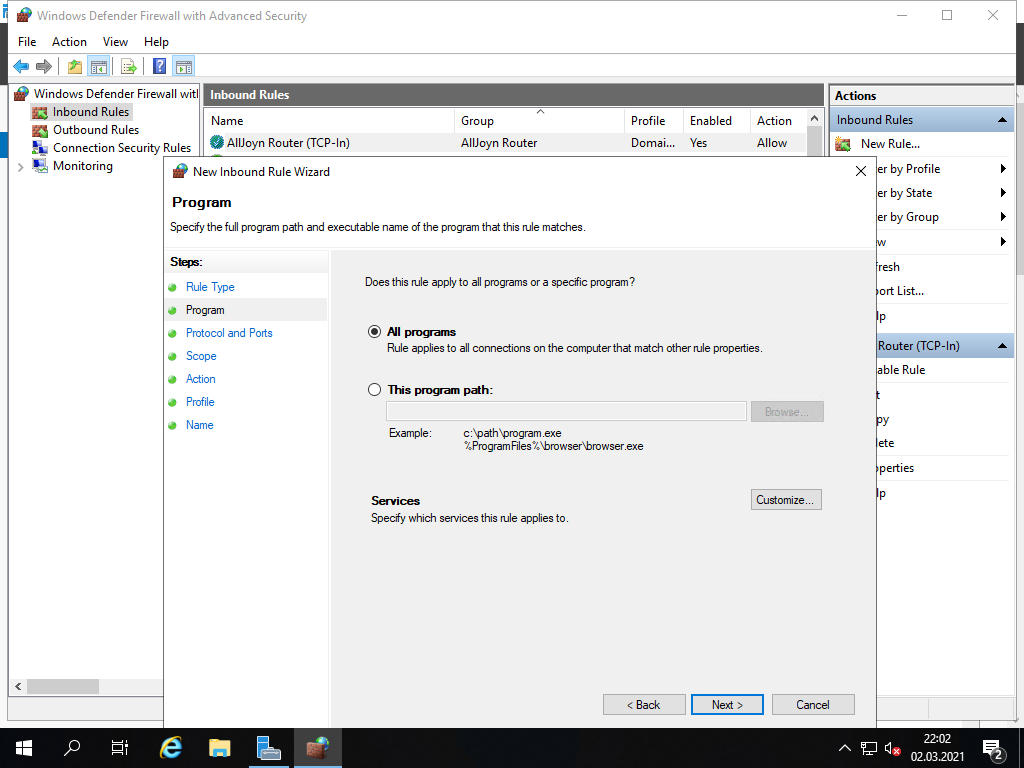
[3] Wybierz [All programs] i kliknij [Next].
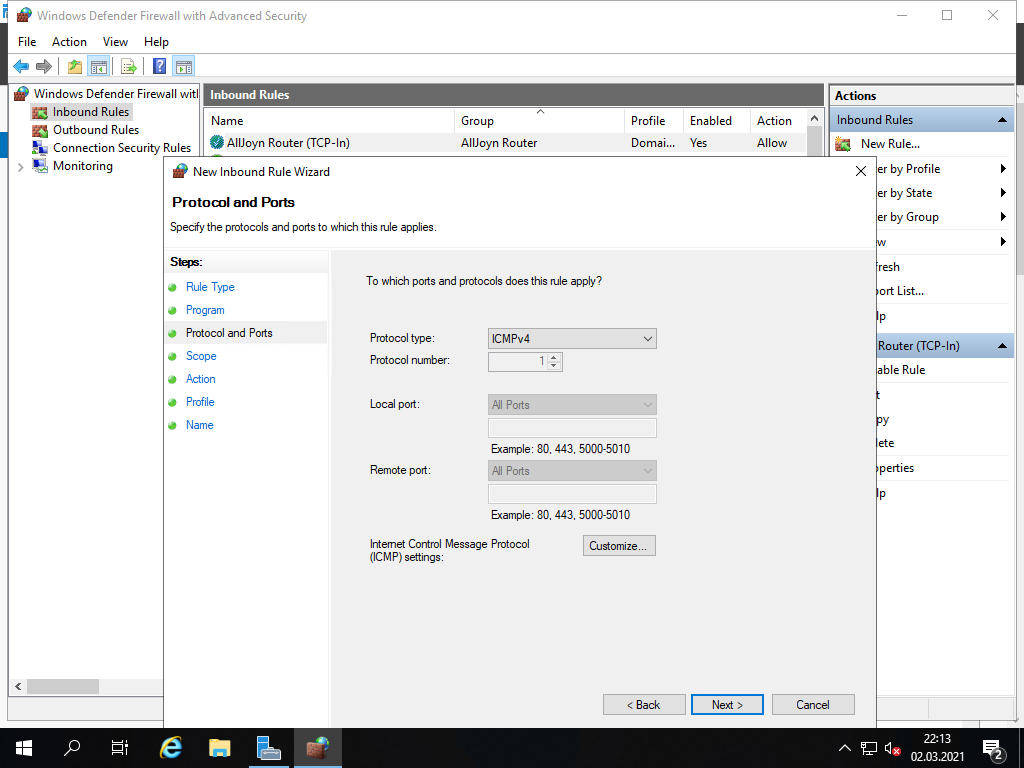
[4] Wybierz [ICMPv4] w polu [Protocol type] i kliknij [Next].
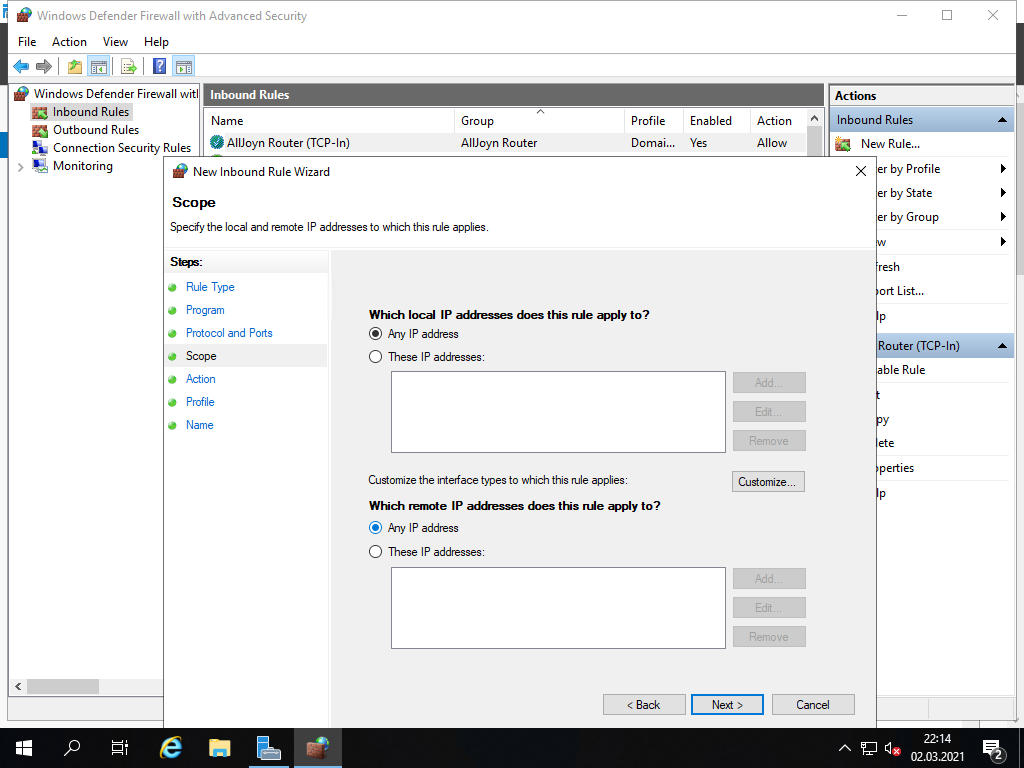
[5] Wybierz zakres sieci, któremu chcesz zezwolić na ICMP i kliknij [Next].
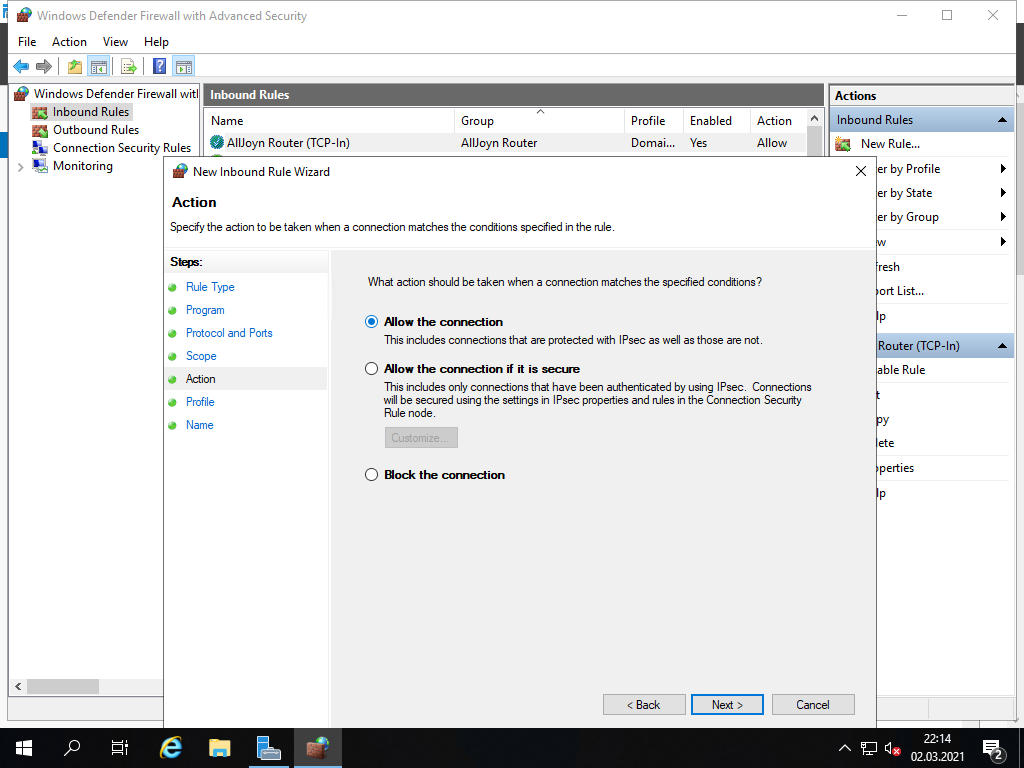
[6] Wybierz [Allow the connection] i kliknij [Next].
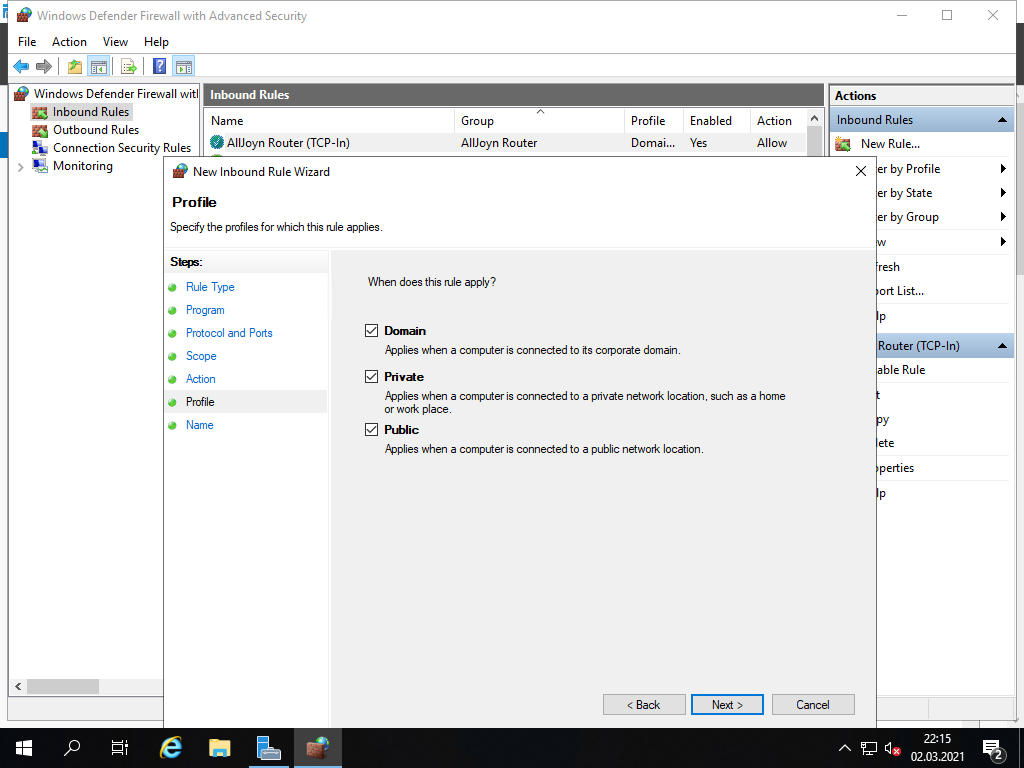
[7] Wybierz profile sieciowe, dla których ma się odnosić ta reguła i kliknij [Next].
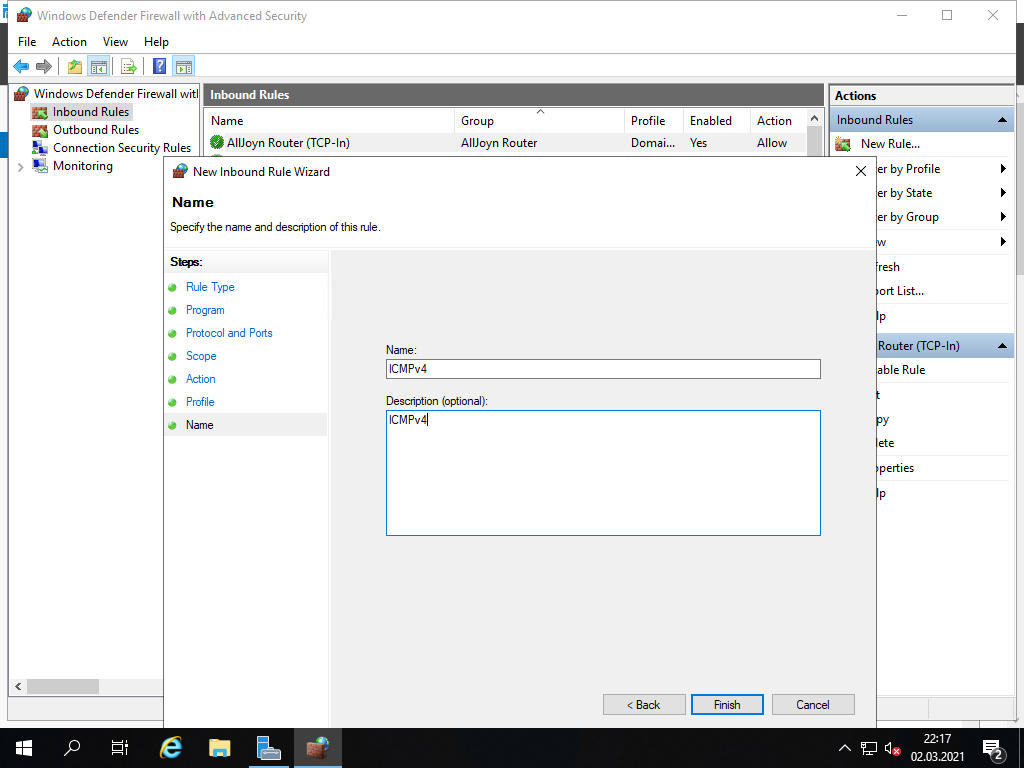
[8] Wprowadź nazwę w pole [Name], jeśli chcesz to możesz dodać opis w polu [Description…]. Kliknij [Finish].
[9] Reguła została dodana.